A website must do more than look attractive to visitors. It should load quickly, work correctly on different devices, protect user information, and provide a smooth experience from the first click to the final action. Whether a business operates an online store, a company website, or a web application, regular testing helps identify problems before they affect users. 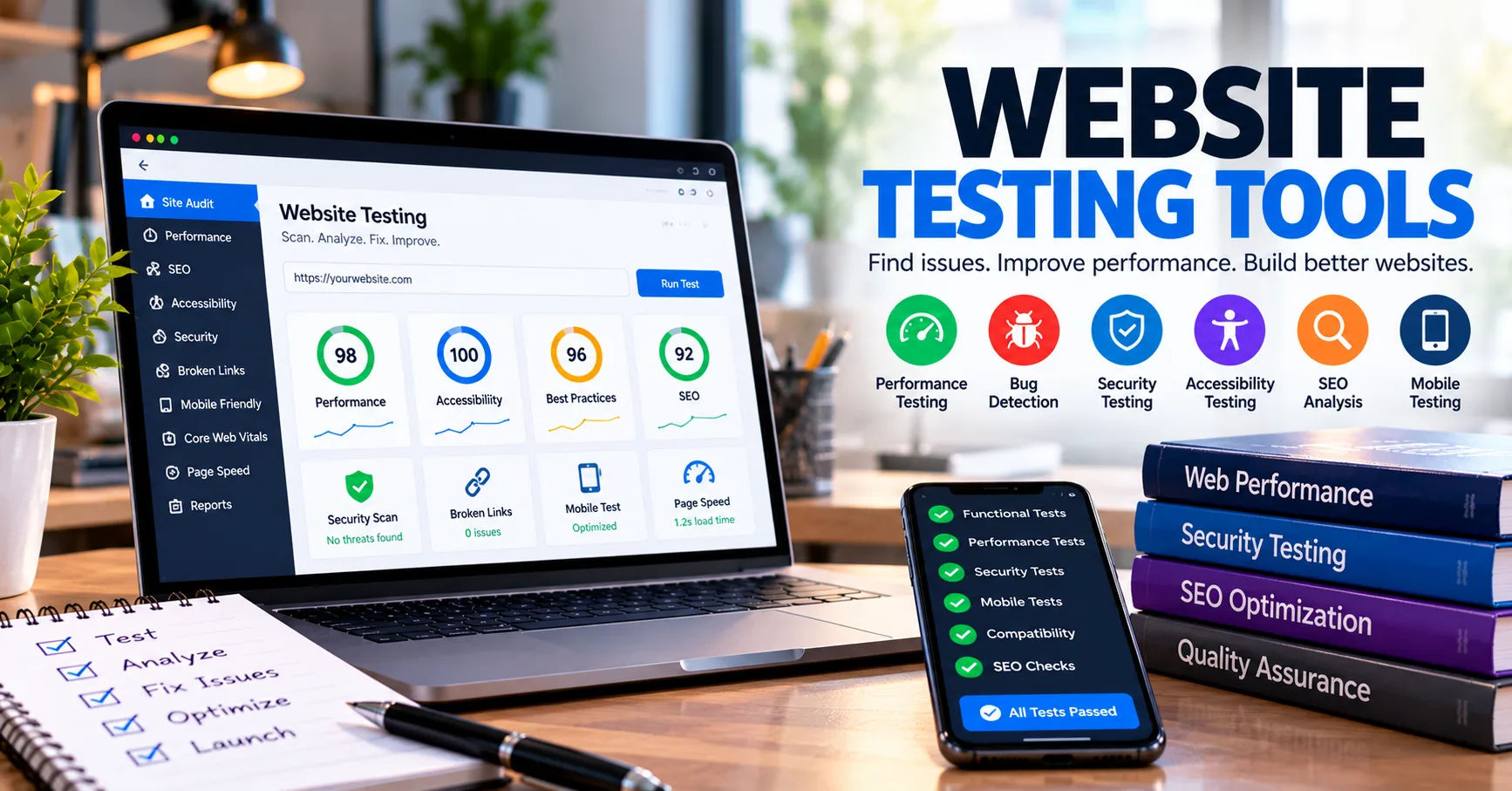 This is where website testing tools become valuable for developers, testers, and business owners.
Website testing involves checking different parts of a website to confirm that they function as expected. A simple website may require checks for broken links, forms, and page loading speed, while a complex application may need security testing, database validation, and automated browser testing. Using the right testing methods makes it easier to detect errors, improve performance, and maintain a reliable online presence.
In this comprehensive guide, we will explore the different tests that require website testing tools, explain why each test matters, and discuss how organizations can select suitable solutions. Understanding these tests helps teams build websites that are more secure, accessible, responsive, and dependable. It also provides a practical way to decide which testing activities deserve the most attention during development and after a website goes live.
Website Testing and Its Importance
Website testing is the process of evaluating a website to determine whether it meets technical requirements, business goals, and user expectations. It includes checking functionality, appearance, speed, compatibility, security, and overall usability.
Testing should begin during development rather than after a website has been launched. Early testing helps teams discover defects when they are easier and less expensive to fix. Continued testing is equally important because updates, new features, browser changes, and third-party integrations can introduce unexpected problems.
Different tests require different approaches. Some can be completed manually, while others benefit from automation, specialized software, or a combination of both.
Why Are Testing Tools Necessary?
Testing tools help teams perform checks more consistently and efficiently. Instead of manually reviewing every page after each update, developers can automate repetitive tasks and receive reports about potential problems.
These tools can also reproduce errors, measure performance, compare layouts, and identify weaknesses that may not be obvious during normal browsing.
For example, a checkout page might appear to work correctly during a quick inspection but fail when several customers attempt to complete purchases simultaneously. Load-testing software can help reveal this issue before it affects real customers.
1. Functional Testing
Functional testing is one of the most important forms of website testing. It checks whether individual website features behave according to their requirements.
A website may have an attractive design, but its value decreases if buttons do not respond, forms reject valid information, or customers cannot complete purchases.
What Does Functional Testing Check?
Functional testing can cover several elements, including:
-
Navigation menus and internal links.
-
Registration and login processes.
-
Contact forms and search fields.
-
Shopping carts and checkout systems.
-
Payment gateway integrations.
-
Account settings and password recovery.
-
File uploads, downloads, and interactive features.
Testers usually compare the actual behavior of a feature with its expected behavior. For instance, submitting a contact form should validate the entered information and display an appropriate confirmation message.
Which Tools Are Useful?
Automated browser-testing frameworks can simulate user actions and verify the results. Selenium, Playwright, and Cypress are examples of tools that can support functional testing, depending on the project's requirements.
Manual testing remains useful for unusual scenarios and features that are difficult to automate. A balanced approach combines automated checks for repetitive tasks with human evaluation for complex interactions.
2. Performance and Load Testing
Website performance directly influences user satisfaction. Slow pages can frustrate visitors, increase abandonment, and reduce the effectiveness of marketing campaigns.
Performance testing measures how quickly a website responds and whether it remains stable under different conditions.
Speed Testing
Speed testing evaluates how long pages take to load and how quickly important content becomes available. It can identify large images, inefficient scripts, excessive network requests, and other performance bottlenecks.
Tools such as Google PageSpeed Insights and Lighthouse can help developers assess performance and identify opportunities for improvement.
Important measurements include loading speed, responsiveness to user interactions, and visual stability. Teams should test important pages individually because the homepage, product pages, and checkout may have very different performance characteristics.
Load and Stress Testing
Load testing checks how a website behaves when many users access it at the same time. Stress testing pushes the system beyond its expected operating conditions to discover its limits and observe how it recovers.
These tests are particularly important for online stores, booking platforms, membership websites, and applications that experience sudden increases in traffic.
Tools such as Apache JMeter and k6 can simulate user traffic and measure response times, errors, and system resource usage.
When should these tests be performed?
Load and stress testing are especially useful before major product launches, seasonal sales, advertising campaigns, and other events likely to increase website traffic.
3. Security Testing
Security testing helps identify vulnerabilities that could expose sensitive information, compromise user accounts, or allow unauthorized access to website functions.
Every website that collects personal information, processes payments, or manages user accounts needs appropriate security checks.
What Does Security Testing Include?
Common security checks include:
-
Authentication and password protection.
-
Authorization and access permissions.
-
Input validation and output encoding.
-
Session management and cookie security.
-
Protection against SQL injection and cross-site scripting.
-
HTTPS configuration and certificate validity.
-
Dependency vulnerabilities and outdated software.
-
Exposure of confidential information.
For example, a website should prevent an ordinary customer from accessing another customer's private order information simply by changing an identifier in a URL.
Security testing can help reveal such access-control weaknesses before attackers exploit them.
Security Testing Tools
OWASP ZAP can help assess web applications for common security vulnerabilities. Burp Suite provides tools for examining HTTP traffic and testing application security. Dependency scanners can identify known vulnerabilities in third-party libraries and software packages.
These tools should be used only on systems the tester owns or has explicit permission to assess. Automated scanning is helpful, but it does not guarantee that a website is completely secure. Manual review and secure development practices remain essential.
4. Cross-Browser Compatibility Testing
Visitors use different browsers, operating systems, and browser versions. A website that works perfectly in one browser may display incorrectly or behave differently in another.
Cross-browser testing checks whether a website provides a consistent experience across supported browsing environments.
What Should Be Tested?
Testers should examine:
-
Page layouts and text formatting.
-
Navigation and interactive elements.
-
Form validation and submission.
-
JavaScript functionality.
-
Images, fonts, and animations.
-
Cookies and session behavior.
-
Payment and authentication flows.
For example, a dropdown menu might function correctly in Chrome but fail in Safari because of a browser-specific behavior or unsupported feature.
Choosing Cross-Browser Testing Tools
Playwright supports automated testing across Chromium-based browsers, Firefox, and WebKit. Cloud-based browser-testing services can provide access to a broader range of browsers, devices, and operating systems.
The best testing matrix depends on the website's audience. A business should prioritize the browsers and platforms commonly used by its visitors rather than attempting to test every possible configuration.
5. Mobile Responsiveness Testing
Mobile responsiveness testing determines whether a website adapts to different screen sizes and input methods. Since visitors may use phones, tablets, laptops, and desktop computers, responsive design is essential for modern websites.
A responsive website should remain readable and usable without forcing visitors to zoom excessively or scroll horizontally through ordinary content.
What Should Mobile Testing Examine?
Mobile testing should include:
-
Navigation menus and touch controls.
-
Text size and readability.
-
Image scaling and cropping.
-
Form fields and on-screen keyboards.
-
Buttons and clickable areas.
-
Orientation changes.
-
Page speed on mobile connections.
-
Checkout and payment usability.
A common problem occurs when buttons are too close together on a small screen. Visitors may accidentally select the wrong option, making the website difficult to use.
Tools for Mobile Testing
Browser developer tools can simulate different screen dimensions and device conditions. Responsive design mode helps testers identify layout issues quickly, while real-device testing can reveal problems involving touch input, device performance, and mobile browsers.
Browser automation can also test mobile-oriented layouts and user journeys. However, emulation does not replace testing on actual devices when device-specific behavior is important.
6. Usability Testing
Usability testing examines how easily people can understand and use a website. Unlike purely technical tests, usability testing focuses on the visitor's experience and ability to complete meaningful tasks.
A website may pass every automated test yet still confuse users with unclear navigation, complicated forms, or poorly organized content.
Common Usability Tests
Usability testing can evaluate whether visitors can:
-
Find important information.
-
Understand navigation labels.
-
Complete registration forms.
-
Locate products and compare options.
-
Finish checkout without confusion.
-
Identify error messages and correct mistakes.
-
Understand the next step on a page.
A tester might ask participants to locate a product and complete a purchase without providing instructions. Observing where they hesitate or make mistakes can reveal problems that technical testing cannot identify.
How Testing Tools Help
Session recordings, heatmaps, surveys, and analytics platforms can help teams understand user behavior. Accessibility checkers and browser inspection tools can identify some interface problems, although they cannot fully determine whether a design feels intuitive.
Usability testing should involve representative users whenever possible. Their feedback helps teams prioritize improvements based on real needs rather than personal assumptions.
7. Accessibility Testing
Accessibility testing checks whether people with disabilities can use a website effectively. It considers visitors who use screen readers, keyboard navigation, magnification, captions, or other assistive technologies.
Accessibility also benefits people using websites in challenging conditions, such as bright sunlight, small screens, or environments where audio is unavailable.
What Does Accessibility Testing Cover?
Important checks include:
-
Alternative text for meaningful images.
-
Keyboard navigation and visible focus indicators.
-
Proper headings and page structure.
-
Form labels and clear error messages.
-
Sufficient color contrast.
-
Captions or transcripts for relevant media.
-
Accessible names for buttons and controls.
-
Appropriate use of semantic HTML and ARIA.
For example, if a visitor cannot reach the checkout button using a keyboard, the purchasing process may become impossible for that person.
Useful Accessibility Tools
Lighthouse, axe DevTools, and WAVE can help identify common accessibility issues. Screen readers and keyboard-only testing are also important for understanding how people interact with a website.
Automated tools cannot detect every accessibility barrier. Human evaluation is necessary to assess context, logical navigation, understandable content, and practical usability.
Teams should use recognized accessibility standards, such as the Web Content Accessibility Guidelines (WCAG), as a foundation for their testing process.
8. API and Integration Testing
Modern websites often connect to external services. These may include payment gateways, customer relationship management systems, shipping providers, inventory platforms, analytics services, and authentication providers.
API testing verifies that these systems exchange information correctly.
What Should Integration Testing Verify?
Integration testing can check whether:
-
Requests contain the required information.
-
Responses return the expected status and data.
-
Authentication credentials are handled correctly.
-
Invalid requests produce suitable errors.
-
Timeouts and service failures are handled safely.
-
Duplicate requests do not create unwanted transactions.
-
Data remains consistent between connected systems.
For instance, an online store should update an order correctly after receiving confirmation from its payment provider. It should also handle delayed responses without accidentally charging the customer twice.
Tools for API Testing
Postman can help testers create and execute API requests. Automated test frameworks can verify response codes, data structures, and business rules. Logs and monitoring systems can help identify failures that occur between connected services.
Integration testing is especially important after changing an API, upgrading a plugin, or modifying a website's checkout or order-processing logic.
9. Regression Testing
Regression testing checks whether existing features continue to work after code changes, configuration updates, bug fixes, or new feature releases.
A small modification can unexpectedly affect another part of a website. For example, changing a shared navigation component might cause a menu to stop working on mobile devices.
Why Is Regression Testing Important?
Regression testing helps teams confirm that previously working features remain reliable. It is particularly valuable for websites that receive frequent updates or contain many interconnected components.
Typical regression checks include:
-
Login and account management.
-
Navigation and search.
-
Forms and validation.
-
Product filtering and cart behavior.
-
Checkout and payment processing.
-
Responsive layouts.
-
API integrations.
Automating Regression Tests
Browser automation tools can execute repeatable test scenarios after each significant code change. Continuous integration systems can run these tests whenever developers submit code or prepare a release.
Not every test needs to run after every small change. Teams can prioritize critical user journeys for quick checks and schedule broader regression suites for larger releases.
10. Database Testing
Database testing verifies that website data is stored, retrieved, updated, and deleted correctly. It is particularly important for websites that manage customer accounts, products, orders, bookings, or other structured information.
A website might display an error-free interface while saving incorrect information in the background. Database testing helps detect these hidden problems.
What Should Database Testing Include?
Database checks can cover:
-
Data accuracy and consistency.
-
Required fields and constraints.
-
Relationships between records.
-
Transaction handling.
-
Data retrieval and filtering.
-
Backup and recovery procedures.
-
Migration accuracy after schema changes.
-
Access permissions and sensitive data handling.
For example, when a customer cancels an order, the website should update the relevant order status without corrupting payment records or unrelated inventory information.
Testers can use database clients, SQL queries, automated integration tests, and migration-testing procedures to validate these behaviors. Testing should use appropriate test environments and synthetic or properly protected data whenever possible.
11. Link and Content Testing
Link testing checks whether internal and external links work correctly. Broken links can prevent visitors from finding information, interrupt purchasing journeys, and make a website appear poorly maintained.
Content testing examines whether the information displayed on a website is accurate, complete, readable, and properly formatted.
What Should Be Checked?
These tests may cover:
-
Broken internal and external links.
-
Missing images and media.
-
Incorrect redirects.
-
Missing page titles and descriptions.
-
Spelling and grammatical errors.
-
Duplicate or outdated content.
-
Incorrect product prices or descriptions.
-
Missing pages and unexpected error messages.
Automated crawlers can scan large websites for broken links, redirect chains, missing metadata, and other structural issues. Content management systems may also support editorial review workflows.
However, automated tools cannot reliably judge every statement's accuracy or whether a message is appropriate for its audience. Human review remains valuable for important content.
12. SEO Testing
SEO testing evaluates technical and structural factors that influence how search engines discover, crawl, and understand website pages.
Although SEO is not solely a technical testing activity, it should be included in a website quality assurance plan because technical mistakes can make valuable content harder to discover.
Important SEO Checks
SEO testing can examine:
-
Page titles and meta descriptions.
-
Canonical tags.
-
XML sitemaps.
-
Robots.txt directives.
-
Indexability and crawlability.
-
Redirects and broken URLs.
-
Structured data.
-
Mobile usability.
-
Core Web Vitals and page performance.
For example, an accidental noindex directive on an important landing page may prevent that page from appearing in search results.
Google Search Console, Lighthouse, and website crawling tools can help identify technical issues. Teams should also review actual search indexing and crawl reports where available rather than assuming that passing an automated audit guarantees strong rankings.
13. Installation, Update, and Compatibility Testing
Websites often depend on content management systems, plugins, themes, libraries, and third-party integrations. Updates can improve security and introduce new capabilities, but they can also create compatibility problems.
Installation and update testing verifies that these changes work correctly in the intended environment.
What Should Be Tested After an Update?
Teams should check whether:
-
The installation completes successfully.
-
Existing settings remain intact.
-
Important features continue working.
-
Themes and plugins remain compatible.
-
Customizations behave as expected.
-
Database migrations complete safely.
-
Error logs remain free of new critical problems.
-
Rollback and recovery procedures work when necessary.
A staging environment is useful because it allows teams to test updates before applying them to a live website.
These checks are particularly important for e-commerce platforms, membership systems, and websites that rely on many third-party extensions.
How to Choose the Right Website Testing Tools
Selecting appropriate tools depends on the website's purpose, complexity, risk level, and available resources. A small informational website testing tools does not require the same testing infrastructure as a high-traffic online marketplace.
The goal is to cover the most important risks without creating an unnecessarily complicated testing process.
Consider Your Website's Requirements
Start by identifying the most important user journeys. For a business website, these might include submitting a contact form, requesting a quotation, and accessing service information. For an online store, they may include searching for products, adding items to a cart, and completing checkout.
Next, consider the main testing categories your website needs. Most websites benefit from functional, performance, security, responsive, accessibility, and regression testing.
Evaluate Automation and Reporting
Choose tools that integrate with your existing development process. Automated reports, reproducible test cases, clear error messages, and integration with continuous integration pipelines can make testing easier to maintain.
Also consider learning requirements, licensing costs, browser coverage, and the time needed to maintain automated tests.
Build a Risk-Based Testing Plan
Not every website feature has the same level of importance. Payment processing, authentication, personal information, and core business functions usually deserve more rigorous testing than minor decorative elements.
A risk-based plan directs more attention toward features where failure could cause financial loss, data exposure, legal concerns, or significant customer frustration.
Best Practices for an Effective Website Testing Strategy
An effective testing strategy combines planning, automation, manual review, and ongoing monitoring.
Use the following practices to improve results:
-
Test early: Identify defects during development rather than waiting until launch.
-
Prioritize critical features: Test high-impact user journeys first.
-
Automate repetitive checks: Use automation for stable, frequently repeated scenarios.
-
Test realistic conditions: Include different devices, browsers, network conditions, and user inputs.
-
Maintain a staging environment: Validate major changes before deploying them to production.
-
Repeat tests after updates: Confirm that existing features still work.
-
Document defects: Record reproduction steps, expected behavior, actual results, and severity.
-
Monitor live performance: Use logs, alerts, and analytics to discover problems that testing may miss.
-
Retest fixes: Verify that a reported problem has been resolved without introducing new defects.
-
Review the testing plan regularly: Adapt coverage as the website and its risks change.
Following these practices makes website testing more consistent and helps development teams respond to problems before they become serious incidents.
Conclusion
Website testing is an essential part of building and maintaining a reliable online presence. Different tests address different risks, so a complete quality assurance strategy should cover more than basic functionality. Performance testing helps websites remain responsive under pressure, security testing identifies potential vulnerabilities, and compatibility testing checks whether visitors receive a consistent experience across browsers and devices.
Other important areas include usability, accessibility, API integration, regression, database, content, and SEO testing. Each contributes to a different aspect of website quality. The right combination depends on the website's features, audience, business objectives, and technical complexity.
Choosing suitable website testing tools makes it easier to automate repetitive checks, detect defects, evaluate performance, and maintain consistent standards. However, tools alone cannot guarantee a successful website. Human judgment, realistic test scenarios, clear documentation, and regular maintenance remain necessary.
Businesses should begin by identifying their most important user journeys and the consequences of potential failures. They can then select appropriate tools, prioritize high-risk features, and build a testing schedule that continues after launch. By treating testing as an ongoing process rather than a one-time task, organizations can create websites that are more secure, accessible, efficient, and trustworthy for their users.