Smartphones have become powerful devices that allow users to enjoy high-quality games without needing a computer or gaming console. However, playing demanding games for extended periods can quickly drain a phone's battery. High screen brightness, powerful processors, background applications, internet connectivity, and advanced graphics all contribute to increased power consumption. 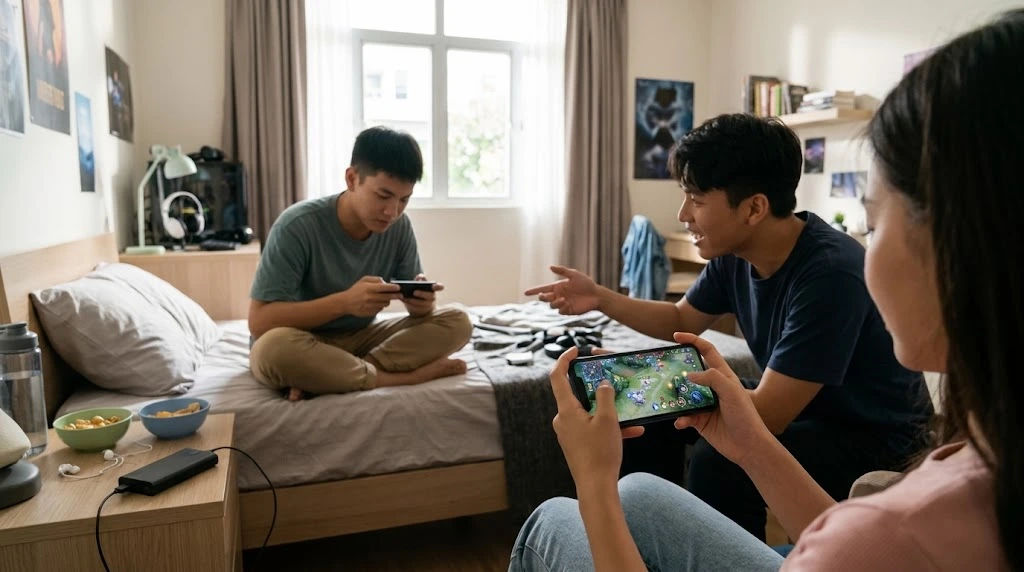 Understanding how to manage these factors can help users enjoy longer gaming sessions without constantly searching for a charger.
Battery performance is especially important for people who enjoy mobile gaming throughout the day. Whether someone plays casual puzzle games, racing games, strategy games, or competitive multiplayer titles, battery efficiency can directly affect the overall experience. A phone that runs out of power during an important match can be frustrating, particularly when charging opportunities are limited.
Fortunately, several practical adjustments can help improve battery life without sacrificing too much gaming performance. Users do not always need an expensive smartphone or additional accessories to achieve better results. Simple changes to display settings, graphics quality, network connections, and charging habits can make a noticeable difference.
This comprehensive guide explains how smartphone users can reduce battery consumption, improve device efficiency, prevent overheating, and enjoy longer gaming sessions.
Why Gaming Drains Smartphone Batteries
Before making changes, it is important to understand why mobile gaming consumes more battery power than many everyday smartphone activities.
Modern games require several hardware components to work together. The processor handles calculations, the graphics processing unit renders images, and the display continuously presents animations and visual effects.
All these components require electricity. When a game becomes more demanding, the phone must work harder, increasing power consumption.
Processor and Graphics Usage
The central processing unit (CPU) manages game instructions, player movements, artificial intelligence, and other calculations.
Meanwhile, the graphics processing unit (GPU) handles visual elements such as lighting, textures, shadows, and character animations.
Games with detailed environments and advanced graphics place additional pressure on these components. As a result, battery levels may decrease much faster.
Reducing unnecessary graphics settings can help lower hardware demands and improve energy efficiency.
Screen Brightness and Refresh Rate
The smartphone display is another major source of battery consumption.
High brightness makes game environments easier to see, especially outdoors. However, keeping brightness at maximum levels for long periods can drain the battery.
Similarly, displays with 90Hz, 120Hz, or higher refresh rates provide smoother animations but may consume additional energy.
Adjusting these settings according to personal preferences can help extend battery life.
Background Applications
Many smartphones continue running applications even when users are playing games.
Social media platforms, messaging applications, automatic backups, and location services may consume processing power and battery energy in the background.
Although individual applications might use relatively little power, their combined activity can affect battery performance.
Closing unnecessary applications before starting a game can reduce background activity.
1. Reduce Screen Brightness During Gaming
One of the easiest ways to improve battery performance is to lower screen brightness.
Smartphone displays need energy to produce visible images. Higher brightness generally requires more power, particularly when users spend several hours playing games.
A comfortable brightness level can provide good visibility without unnecessarily increasing energy consumption.
Use Automatic Brightness Carefully
Automatic brightness adjusts screen lighting according to surrounding conditions.
This feature can be useful when moving between indoor and outdoor environments. However, the screen may become brighter than necessary in certain situations.
Users can manually adjust brightness before starting a gaming session.
For example, someone playing indoors may not need the same brightness level required when using a phone outside in direct sunlight.
Avoid Maximum Brightness
Keeping the screen at maximum brightness throughout a gaming session is usually unnecessary.
Try lowering brightness gradually until game details remain comfortable to see.
Small adjustments can help reduce display power consumption while maintaining a pleasant experience.
2. Lower Graphics Settings in Demanding Games
Graphics settings have a significant influence on battery consumption.
Modern smartphone games often include several visual options that allow players to customize performance according to their device capabilities.
Although maximum graphics can make games look impressive, they also require additional processing power.
Reduce Graphics Quality
Many games provide options such as:
-
Low graphics.
-
Medium graphics.
-
High graphics.
-
Ultra graphics.
Choosing medium or low settings can reduce the workload placed on the GPU.
This may help decrease heat generation and improve battery efficiency.
The difference in visual quality is sometimes relatively small, particularly on smaller smartphone displays.
Turn Off Unnecessary Visual Effects
Certain games include advanced visual features such as motion blur, dynamic shadows, reflections, and additional particle effects.
These features can improve appearance but may require extra processing power.
Disabling unnecessary effects can make demanding games easier for smartphones to handle.
Players should experiment with individual settings to find a balance between visual quality and energy consumption.
3. Adjust the Game's Frame Rate
Frame rate refers to how many individual images appear on the screen every second.
A higher frame rate generally produces smoother movement and more responsive gameplay. However, generating additional frames requires more processing power.
For example, a game running at 120 frames per second may consume more energy than the same game running at 60 frames per second.
Choose a Balanced Frame Rate
Not every game needs the highest available frame rate.
Casual games, puzzles, and turn-based strategy titles usually work comfortably at lower frame rates.
Competitive action games may benefit from smoother performance, but users should consider whether the improvement is worth the additional battery consumption.
A moderate frame-rate setting often provides a reasonable balance.
Avoid Unnecessary Performance Modes
Some smartphones include dedicated gaming modes that prioritize maximum performance.
These modes may increase processor speeds, improve touch responsiveness, and reduce interruptions.
However, certain performance profiles can also increase power consumption.
Choose balanced or standard performance settings when extended battery life is more important than maximum speed.
4. Disable Unnecessary Background Applications
Background applications can reduce battery efficiency even when they are not directly involved in gameplay.
Before opening a demanding game, users should check which applications are running.
Close Unused Applications
Messaging applications, social media platforms, video players, and browser tabs may continue performing background activities.
Closing applications that are not needed can help reduce unnecessary system activity.
However, modern smartphones manage memory automatically, so repeatedly force-closing every application is not always beneficial.
Focus on applications that are actively consuming significant battery power.
Limit Background Synchronization
Some applications regularly synchronize information with online servers.
Email updates, cloud backups, automatic downloads, and social media refreshes can consume battery energy.
Consider pausing nonessential synchronization during longer gaming sessions.
This allows the smartphone to focus more of its available resources on the game.
5. Manage Wi-Fi and Mobile Data Connections
Internet connectivity is particularly important for online games.
Multiplayer games require continuous communication between the smartphone and remote servers. Maintaining these connections consumes energy.
However, network conditions can influence how much battery power is required.
Prefer Stable Wi-Fi Connections
A stable Wi-Fi connection is often more energy-efficient than a weak mobile network.
When cellular reception is poor, smartphones may increase transmission power while searching for a stronger connection.
This can result in additional battery consumption.
Using a reliable Wi-Fi network can reduce unnecessary network activity and provide more consistent gameplay.
Avoid Constantly Switching Networks
Some smartphones automatically move between Wi-Fi and mobile data when connection quality changes.
Frequent network switching can affect battery efficiency and gameplay stability.
If a reliable Wi-Fi connection is available, consider disabling mobile data temporarily when it is not required.
However, make sure that important communication services remain accessible.
Disable Unnecessary Connectivity Features
Bluetooth, location services, and personal hotspots may consume additional energy when active.
Turn off features that are not needed during gaming.
For example, disabling location access for unrelated applications can reduce background activity.
Do not disable Bluetooth if you are using wireless gaming accessories that depend on it.
6. Prevent Smartphone Overheating
Heat is an important factor affecting smartphone performance and battery health.
During demanding gaming sessions, the processor and graphics hardware generate heat. If temperatures become too high, the smartphone may reduce performance to protect its internal components.
Overheating can also make gaming uncomfortable.
Avoid Playing While Charging
Playing demanding games while charging can increase heat generation.
The battery receives electrical energy while the phone simultaneously consumes power to operate the processor, display, and other components.
This combination may increase device temperature.
Whenever practical, allow the phone to cool before continuing a long gaming session.
Remove Thick Protective Cases When Necessary
Some protective cases can restrict heat dissipation.
If a smartphone becomes unusually warm, removing a thick case may help heat escape more easily.
Always place the phone on a hard, flat surface rather than covering it with blankets or cushions.
Take Regular Breaks
Short breaks give the smartphone an opportunity to cool down.
For example, users can pause after every 30 to 60 minutes of demanding gameplay.
During breaks, avoid running other intensive applications.
Keeping the device at a comfortable temperature supports stable performance and long-term battery health.
7. Enable Battery Saver Mode
Most Android and iPhone devices include built-in battery management features.
These tools help reduce unnecessary energy consumption by limiting certain background activities and system functions.
Use Battery Saver on Android
Android smartphones often include Battery Saver or Power Saving Mode.
Depending on the manufacturer, these settings may:
-
Reduce background application activity.
-
Limit automatic synchronization.
-
Restrict certain visual effects.
-
Reduce system performance.
-
Delay selected background updates.
Some gaming features may become less responsive when power-saving settings are enabled.
Therefore, users should test the feature with their preferred games before relying on it.
Use Low Power Mode on iPhone
Apple provides Low Power Mode to reduce overall battery consumption.
It can limit background activity, reduce certain automatic processes, and adjust system performance.
This feature is particularly useful when the battery level becomes low.
However, some games may experience reduced performance depending on their hardware requirements.
8. Keep Your Smartphone Software Updated
Software updates can improve device stability, security, and power management.
Smartphone manufacturers regularly release operating system updates that may include battery optimization improvements.
Game developers also release updates to fix bugs and improve performance.
Install Reliable System Updates
Keeping the operating system updated can help ensure that the smartphone uses its hardware efficiently.
However, major updates may temporarily increase battery usage while the device completes background tasks.
It is sensible to install updates when convenient rather than immediately before an important gaming session.
Update Gaming Applications
Older game versions may contain performance problems that increase processor usage.
Developers sometimes optimize graphics rendering, reduce unnecessary background processes, and fix bugs through updates.
Using the latest stable version can improve overall performance.
9. Maintain Healthy Battery Charging Habits
Improving gaming battery life is not only about reducing power consumption during gameplay.
Long-term battery maintenance is equally important.
Smartphone batteries gradually lose their ability to hold a full charge. This natural process happens over time and depends on usage patterns, temperature, and charging conditions.
Avoid Frequent Deep Discharges
Regularly allowing a smartphone battery to reach zero percent is generally unnecessary.
Lithium-ion batteries experience chemical aging, and repeated deep discharges can contribute to additional stress.
Whenever convenient, recharge the phone before it completely runs out of power.
Use Quality Charging Accessories
Always use reliable charging cables and adapters that meet the manufacturer's recommendations.
Poor-quality accessories may create charging problems and unnecessary heat.
A compatible charger provides a safer and more consistent charging experience.
Avoid Excessive Heat During Charging
High temperatures can accelerate battery aging.
Do not leave a smartphone charging under direct sunlight or inside a hot vehicle.
If the device becomes unusually hot, disconnect it when safe and allow it to cool.
10. Choose Games According to Smartphone Capabilities
Not all games place the same demands on smartphone hardware.
Some titles feature simple graphics and lightweight gameplay, while others include detailed environments, realistic physics, and large multiplayer worlds.
Choosing games that match device capabilities can help users enjoy longer sessions.
Game Requirements
Before installing a demanding game, check its recommended processor, RAM, operating system, and graphics requirements.
A smartphone that barely meets the minimum requirements may need to work harder to maintain stable performance.
This can increase heat generation and battery consumption.
Try Lightweight Alternatives
Casual puzzle games, card games, word games, and simpler strategy titles often require fewer hardware resources than advanced 3D games.
These options can be useful when users want to play for longer periods without draining their batteries quickly.
Lightweight games are also suitable for older smartphones with limited processing capabilities.
11. Monitor Battery Usage Regularly
Smartphones provide battery statistics that help users understand which applications consume the most energy.
Checking these statistics can reveal unexpected battery drain.
Check Battery Statistics on Android
Most Android devices include a battery section within their settings.
Users can review application activity and identify programs that consume excessive energy.
If an application uses significant power without providing a clear benefit, consider restricting its background activity.
Check Battery Usage on iPhone
iPhone users can open the Battery section in Settings to review battery usage.
The information can help identify applications that consume energy during active use and background activity.
Monitoring these details regularly makes it easier to recognize unusual changes.
Identify Battery Problems Early
If battery levels drop unusually quickly, consider whether the device is overheating, running outdated software, or experiencing poor network reception.
A battery that has significantly degraded may also require professional inspection or replacement.
12. Use Accessories That Support Efficient Gaming
Gaming accessories can improve comfort and convenience, but some may increase battery consumption.
Choosing appropriate accessories helps users manage their devices more effectively.
Choose Wired Accessories When Practical
Wireless controllers and headphones rely on their own batteries and communicate with smartphones through wireless connections.
Depending on the accessory, this can add to the phone's energy consumption.
Wired headphones and compatible wired controllers may reduce the need for additional wireless connections.
However, modern smartphones do not always include traditional headphone ports, so compatibility should be checked first.
Avoid Unnecessary Cooling Accessories
Some dedicated gaming accessories include external cooling systems.
These devices may help control temperatures during demanding gameplay, but they also require additional power or charging.
A cooling accessory is not essential for every smartphone user.
Proper ventilation, moderate graphics settings, and regular breaks are often sufficient for ordinary gaming sessions.
Common Mistakes That Reduce Gaming Battery Life
Even users who understand battery-saving techniques sometimes make mistakes that reduce their effectiveness.
Avoiding these habits can make smartphone use more efficient.
Keeping Every Setting at Maximum
Maximum brightness, ultra graphics, high frame rates, and performance modes can place considerable pressure on smartphone hardware.
Using all these settings simultaneously may drain the battery quickly.
Choose settings according to the requirements of each game.
Ignoring Battery Health
A smartphone with an aging battery may not provide the same gaming duration as a newer device.
Ignoring battery health statistics can make users believe that software settings are responsible for every battery problem.
Consider a professional battery inspection if performance continues declining.
Playing in Extremely Hot Environments
Direct sunlight and poorly ventilated surroundings can increase device temperature.
Avoid prolonged gaming in hot environments whenever possible.
A cooler operating temperature helps maintain stable performance and protects battery health.
Installing Unnecessary Optimization Applications
Some third-party battery-saving applications promise dramatic improvements.
However, many simply duplicate features already available in smartphone settings.
Others may display excessive advertisements or run unnecessary background services.
Built-in battery management tools are generally a better starting point.
A Practical Battery-Saving Routine for Longer Gaming Sessions
Developing a simple routine can make battery management easier.
Users do not need to change every smartphone setting permanently. A few adjustments before, during, and after gameplay can provide useful results.
Before Starting a Game
-
Charge the smartphone to a comfortable battery level.
-
Lower screen brightness to a suitable setting.
-
Close unnecessary background applications.
-
Connect to stable Wi-Fi when available.
-
Reduce graphics quality if the game is demanding.
-
Select a balanced frame rate.
-
Disable unnecessary connectivity features.
During Gameplay
-
Monitor device temperature.
-
Avoid direct sunlight.
-
Take short breaks during extended sessions.
-
Reduce graphics settings if the device becomes too warm.
-
Watch for unusual battery drain.
-
Avoid unnecessary application switching.
After Finishing
-
Close the game if it is no longer needed.
-
Check battery usage statistics.
-
Allow the smartphone to cool naturally.
-
Recharge using a reliable adapter when necessary.
-
Review any applications showing unusual background activity.
Following this routine can help users maintain more consistent battery performance.
Conclusion
Improving smartphone battery life requires a combination of sensible settings, responsible device usage, and proper battery maintenance. Although demanding games naturally consume more power than ordinary applications, users can take several practical steps to reduce unnecessary energy consumption.
Adjusting screen brightness, lowering graphics quality, choosing a balanced frame rate, and closing unnecessary background applications are some of the easiest ways to extend gaming sessions. Stable Wi-Fi connections, battery-saving features, and regular software updates can also contribute to better efficiency.
Temperature management deserves particular attention. Avoiding excessive heat, taking regular breaks, and using appropriate charging accessories can help protect the battery over time. Users should also monitor battery statistics to identify applications or hardware problems that may contribute to unusually fast power consumption.
Another important consideration is choosing games that match smartphone capabilities. A device does not need to operate at maximum performance for every gaming experience. Balanced settings can provide enjoyable gameplay while reducing unnecessary pressure on internal components.
Ultimately, better mobile gaming battery life comes from understanding how different smartphone features consume energy and making informed adjustments. By following these recommendations, players can enjoy longer gaming sessions, maintain more consistent performance, and support their smartphone's long-term battery health without constantly depending on a charger.